Tenement watchlists
Keep an exact set of mineral titles together, follow published changes, and give the right teammates access.
Create a watchlist
- Open Tenure → Watchlists and select Create watchlist.
- Enter a recognizable name and an optional description.
- Optionally use Select titles on map to choose the first titles, then create the watchlist.
Monitoring starts when titles are added. A new watchlist is private to its creator until the owner adds eligible teammates in Settings.
Add the exact titles you want to follow
Owners and editors can select Add titles. Choose the correct jurisdiction, then paste title identifiers, upload a CSV, or use the map selection. In Australian Browse, you can also select rows and choose Add to Watchlist.
Review the import results. Added titles, duplicates, invalid entries, unresolved identifiers, and ambiguous matches are reported separately. Correct the jurisdiction or identifier for any title that could not be resolved.
Review the watched titles
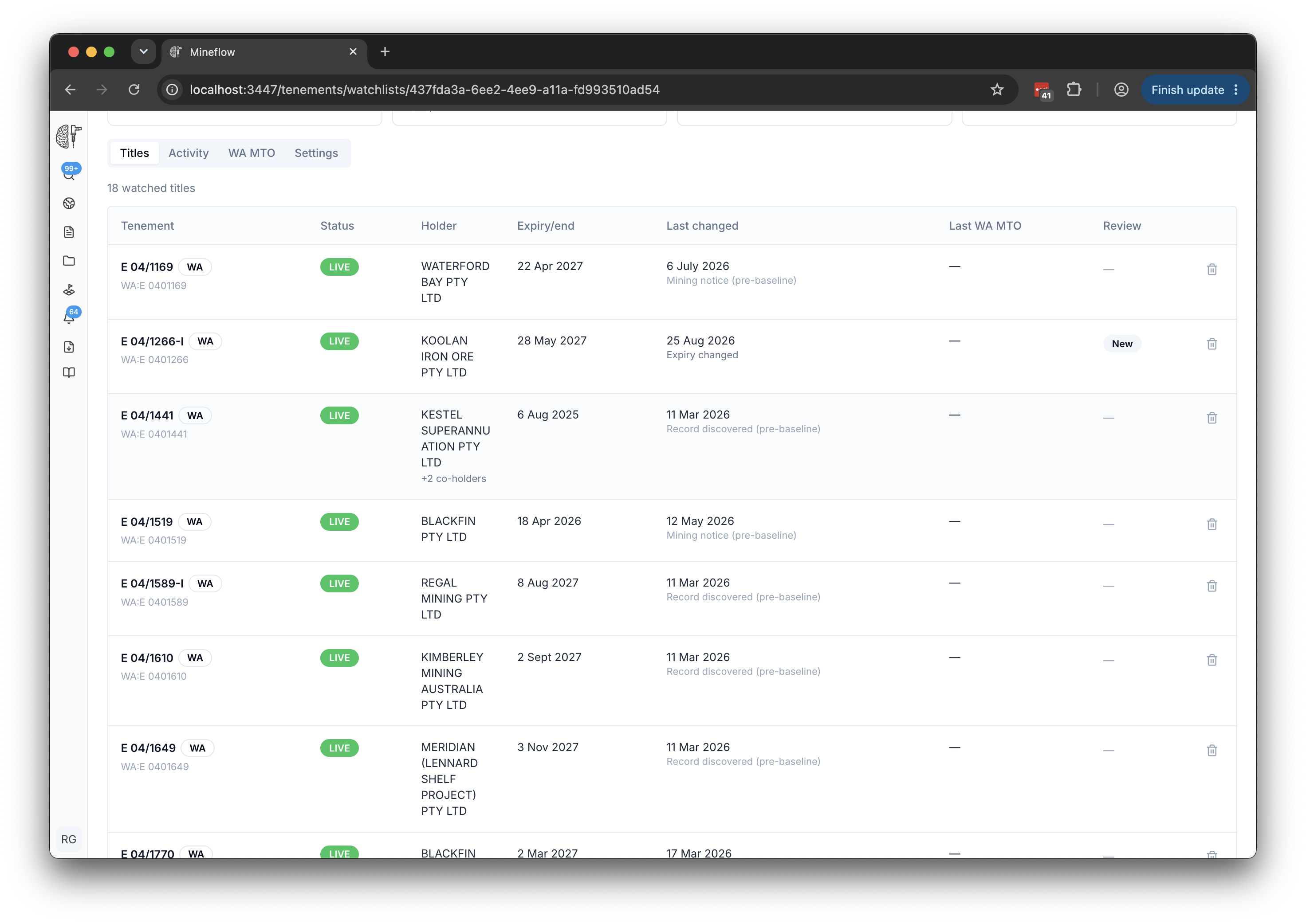
Open a title to inspect its information, or select View on map to see the watched polygons together. The summary cards show watched titles, new changes, and the latest or next WA MTO check when configured.
| Review status | Meaning |
|---|---|
| New | An observed change has not yet been reviewed. |
| Reviewing | Someone has started looking into the change. |
| Resolved | The change has been reviewed and no longer needs attention in the new-change count. |
Add teammates and manage access
In Settings → People with access, the owner can choose an eligible teammate, select Editor or Viewer, and use Add to watchlist. Being on the same team makes a person eligible; it does not automatically share the watchlist.
| Role | Main permissions |
|---|---|
| Owner | Manage access and ownership, edit titles, save the paid-check cadence, and run checks. Paid searches bill the watchlist owner. |
| Editor | Work with titles and changes, and request a one-off check when billing is enabled. |
| Viewer | Review the watchlist, its activity, and available results. |
The owner can remove a listed person or transfer ownership to an existing member. Check the billing implications before transferring a watchlist with paid checks. Listed people also need the required tenement-data access.
Understand what monitoring includes
Published live-feed changes are available for supported watched titles without enabling paid WA MTO searches. Change notifications are sent automatically to eligible people listed on the watchlist.
Optional official MTO searches apply only to Western Australian titles. They have their own schedule, costs, and result history.