Watchlist activity
See what changed, when a source was checked, and which records support the update.
Open the activity calendar
Open a watchlist and select Activity. Choose a day in the month calendar to see its checks and changes in chronological order.
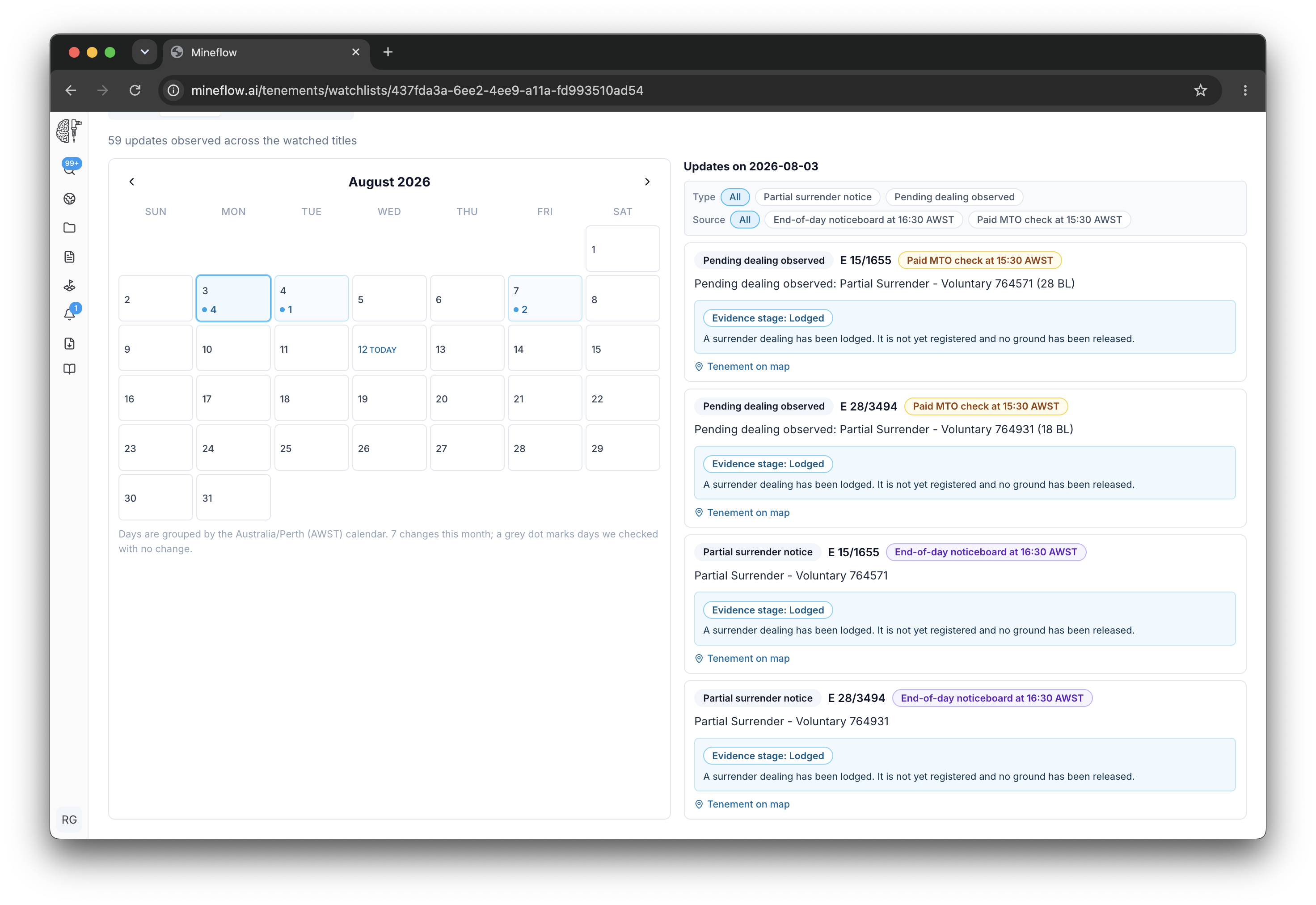
| Calendar marker | Meaning |
|---|---|
| Blue dot and count | The day includes observed title changes. |
| Grey dot | A check was recorded without a new change. |
The activity calendar and check times use Australia/Perth (AWST, UTC+8). Use the date shown on the source record when you need to establish when that source published the information.
Read the evidence for a change
- Select the day of interest and filter by entry type or source if the list is busy.
- Open the relevant title change and compare the previous and new values.
- Read the source and observation times, then open the available supporting record or map.
- Use the review status to record whether the change is new, being reviewed, or resolved.
The first observation provides a baseline. A newly added watchlist does not imply that every existing title condition has just changed.
Separate a check from a change
A successful check confirms that Mineflow obtained a result for that check. A change entry records a difference observed in the available evidence. A failed or delayed check does not establish that nothing changed.
Public live-feed activity remains available without paid WA MTO billing. When official WA MTO checks are configured, their results can appear in the same chronology. Use the source label to distinguish them.
Follow up from the right place
Use Activity for the title history. Use WA MTO → Check run history for an official search's status and cost. The Alerts page gives you a broader view across accessible watchlists.