Tenement monitoring
Browse mineral titles, review published changes, and carry the titles you care about into a map or watchlist.
Choose a country and region
Open Tenure → Browse. Use Browse jurisdiction to choose a country, then select the state, province, or available regional filters.
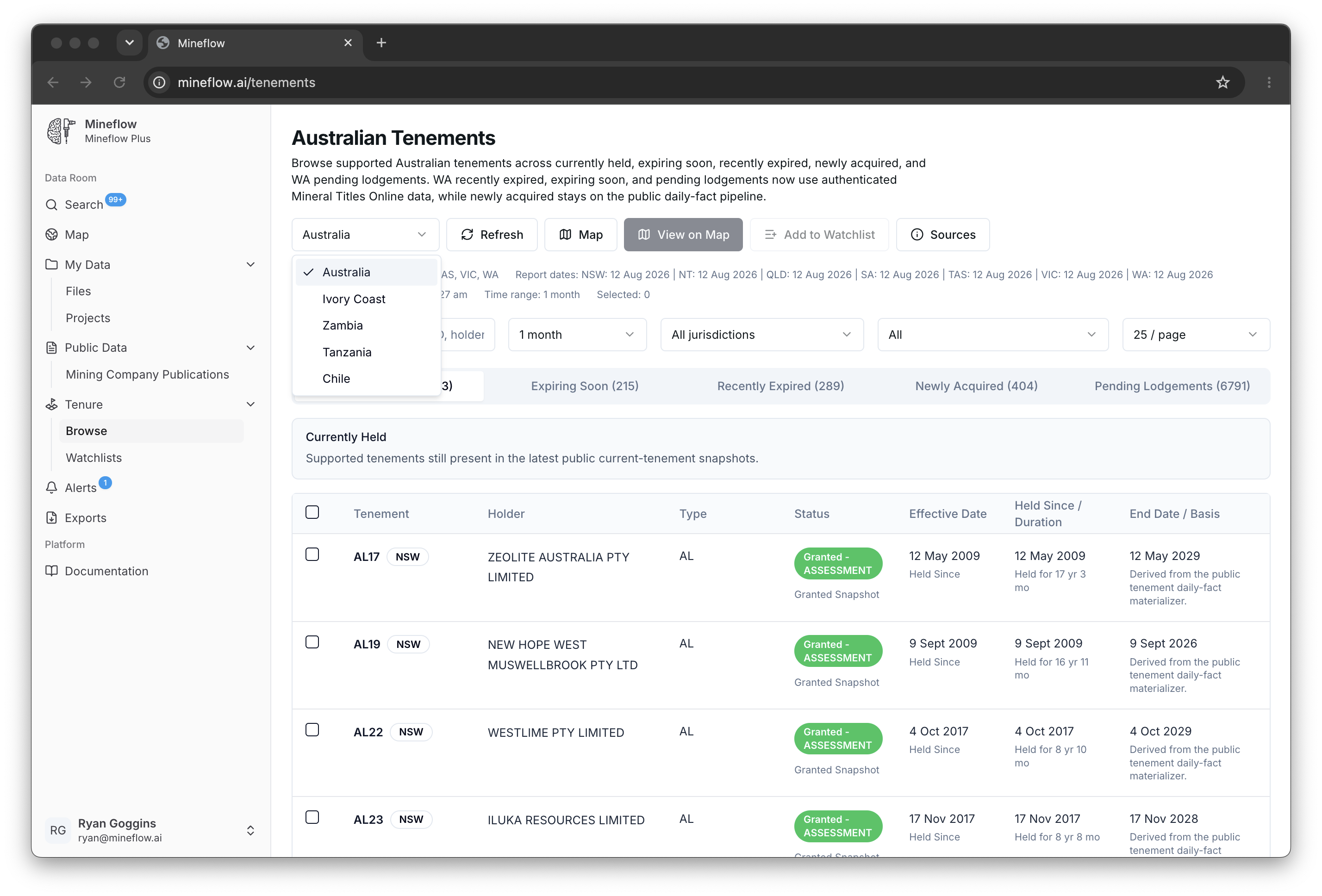
Use the view that fits your task: currently held titles, approaching expiry, recently expired or removed titles, new acquisitions, or applications where the source supports them.
Coverage and local terminology
| Country | Source context |
|---|---|
| Australia | State and territory title datasets. Western Australia also has optional official MTO searches. |
| Ivory Coast | Cadastre records for active titles, inactive titles, and applications. |
| Zambia | Cadastre title and application records, with source-supported status views. |
| Tanzania | Mining cadastre and application records. |
| Chile | Periodic mining-concession snapshots; views include titles removed from a snapshot and titles in process. |
| Canada | Province-specific coverage. Check the selected province's availability and source information in the dashboard. |
Coverage varies by region and category. Read any unavailable labels and source dates before treating a blank result as an absence of titles. A source that publishes periodic snapshots has a different update rhythm from a live register.
Read a title and its history
- Search or filter the table by the title, holder, location, or available status fields.
- Open a row to inspect its identifying number, jurisdiction, holder, dates, and source evidence.
- Use the map action to inspect the title boundary in its geographic context.
- Check the source publication and observation dates when interpreting a change.
Keep watching the titles or area
For an exact portfolio, select titles and add them to a watchlist. In Australian Browse, select the rows and use Add to Watchlist. The watchlist's Add titles dialog supports identifiers and map selection for other available jurisdictions.
For future activity anywhere inside an area, create an area alert. Optional paid MTO searches are available for Western Australian titles on a watchlist.