Create an alert
Watch for new public exploration data or published tenement activity in an area of interest.
Name the alert and choose its criteria
- Open Alerts → My Alerts and select Create New Alert.
- Give the alert a useful name, such as Gold results near our licence.
- Enable the criteria you want, complete the fields, and review the area and units.
- Save the alert. It will appear in My Alerts, where you can edit it or open its notification history.
Public-data matches must satisfy all enabled data criteria. Tenement activity is evaluated using the saved location and selected event types.
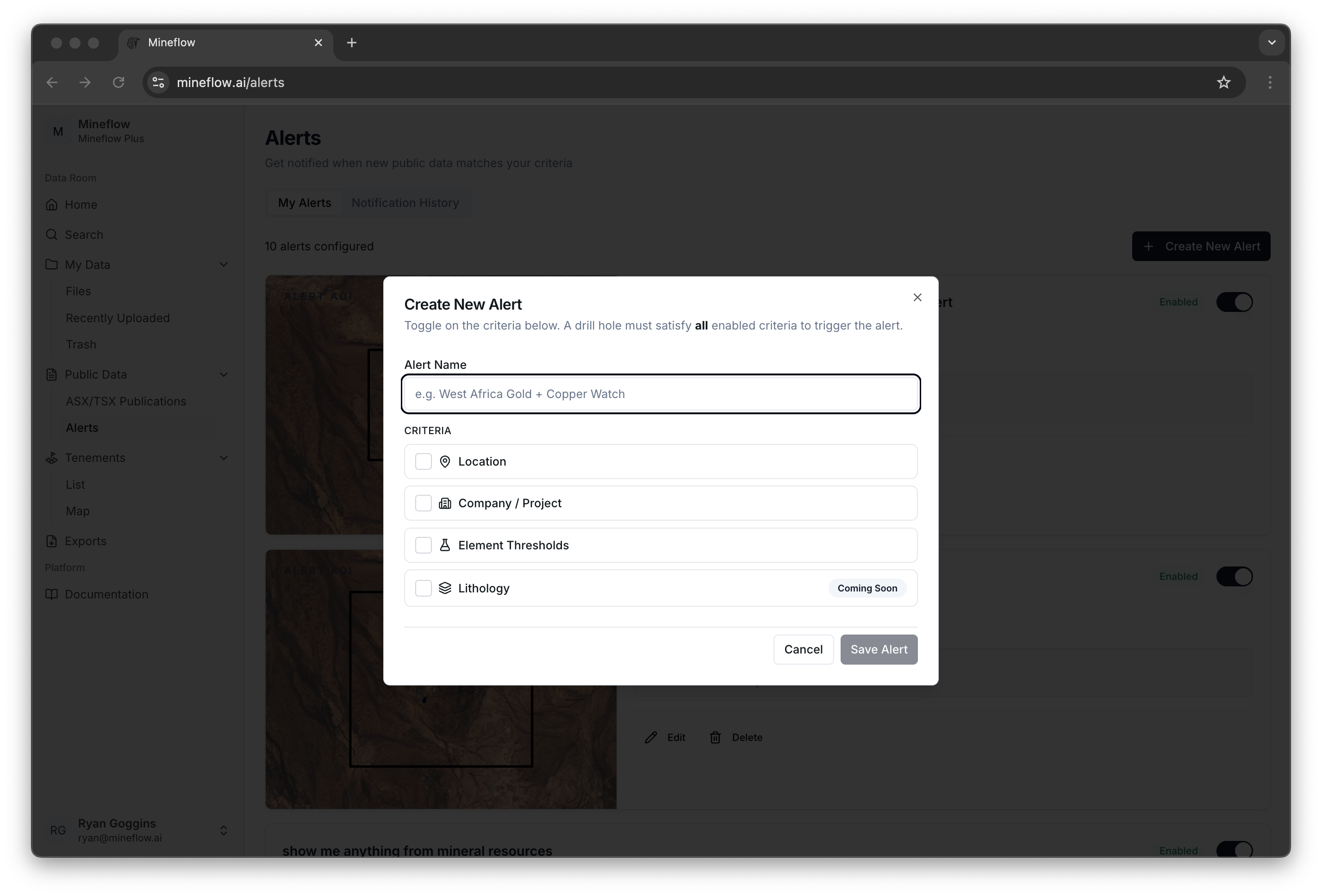
Watch for new exploration data
| Criterion | What it controls |
|---|---|
| Location | The saved area of interest for spatial matches. |
| Data Groupings | The categories of public data to follow. Leave this section off to include all public data categories. |
| Company / Project | A company, or a particular project within the intended company context. A company-only alert is supported. |
| Element Thresholds | Assay conditions. A drillhole must meet all configured element conditions; a blank threshold accepts any assay value for that element. |
Check the element, unit, and comparison carefully. For example, a value entered as a percentage has a different meaning from the same number entered in grams per tonne.
Keep the first version focused. If it is too broad, edit the area or add a data type or assay condition. If it is too narrow, remove unnecessary conditions.
Watch tenement activity across an area
Enable Location and save an area, then enable Tenement Activity. Choose the available event types for titles that are surrendered or fail to renew, and for titles that are newly acquired, granted, or lodged.
To receive tenement activity without public exploration-data matches, enable Data Groupings and choose None. The current area is the baseline; future matching published changes generate notifications.
Review what matched
Select an alert's title in My Alerts to open its filtered Notification History. Each event identifies the matched alert and available source documents. Open the documents or map to inspect what changed.
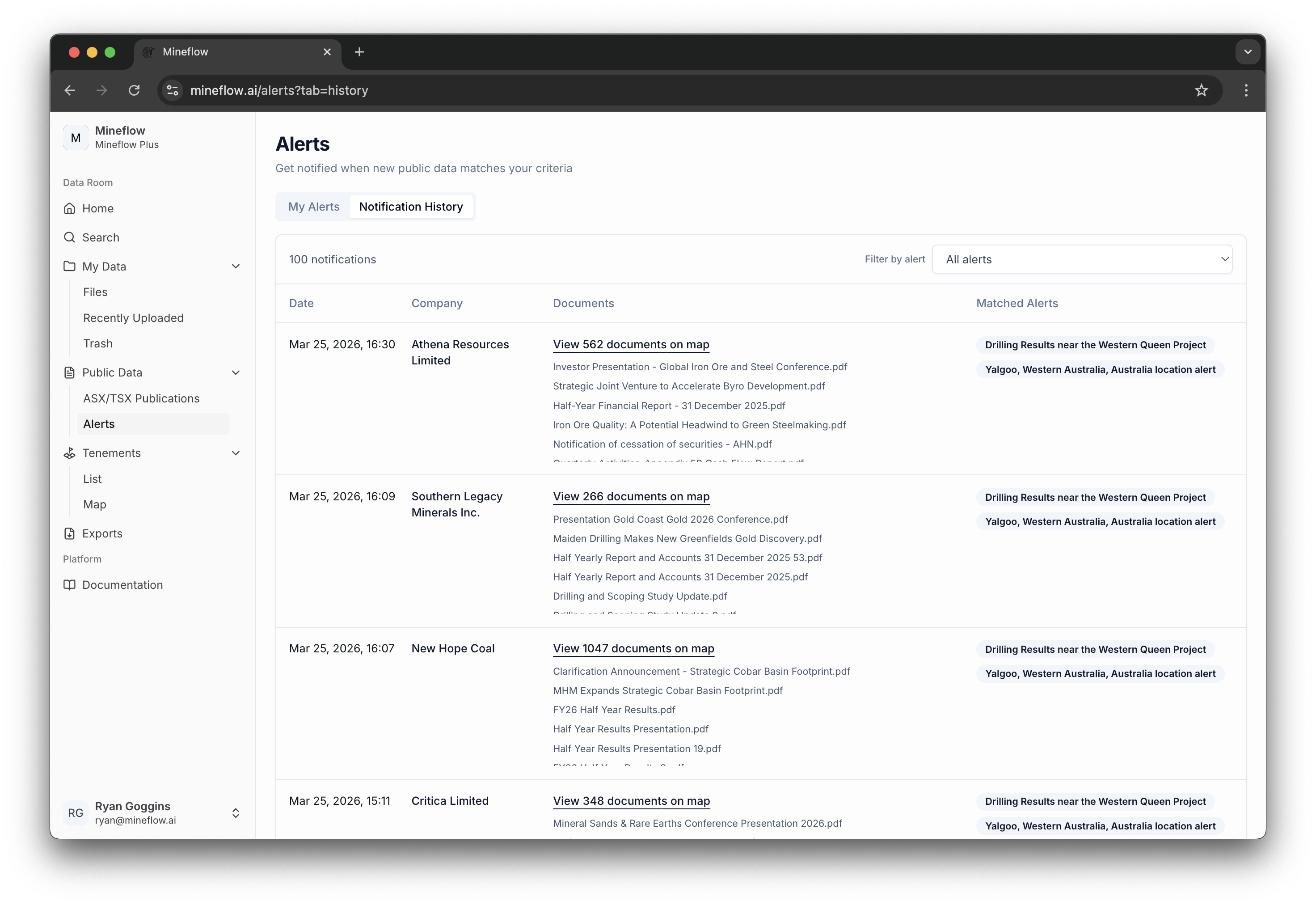
One publication may match several alerts. Its appearance in several rules is not evidence of several separate publications or discoveries.
Keep your rules useful
Use Edit on an alert card to update its criteria. Delete a rule when you no longer need it. Your alert rules and a watchlist's paid MTO schedule are managed separately.
For notification timing, recipients, and missing emails, see Alerts and notifications.