Alerts and notifications
Choose what you want to follow, then know where to look when something changes.
Choose the right kind of update
| What you want to follow | Use | Where to review it |
|---|---|---|
| An earlier search | Recent searches and its New results badge | Open the saved list or map search. |
| New public exploration data matching an area, company, project, or assay condition | A public-data alert | Alerts → Notification History, plus email notifications. |
| Published tenement changes anywhere inside an area | A location alert with Tenement Activity enabled | Alerts and the linked tenement map. |
| A specific set of mineral titles | A tenement watchlist | The watchlist's Activity tab and the watchlist activity panel in Alerts. |
| An official paid check of Western Australian titles | Optional WA MTO searches on a watchlist | WA MTO check history, Activity, and the billed owner's result email. |
A bookmark or tracked project helps organize your work. Create an alert or watchlist when you want to follow changes.
Creating alerts and receiving notifications is included on every plan. Opening new public map data from a notification uses credits on Free and Starter. Tenement watchlists require Professional, Enterprise or an eligible Monitoring add-on. See Plans and pricing.
Start with the Alerts page
Open Alerts in the left menu. Notification History shows matching public-data updates. My Alerts holds the rules you have saved. The watchlist activity section brings together updates from the watchlists you can access.
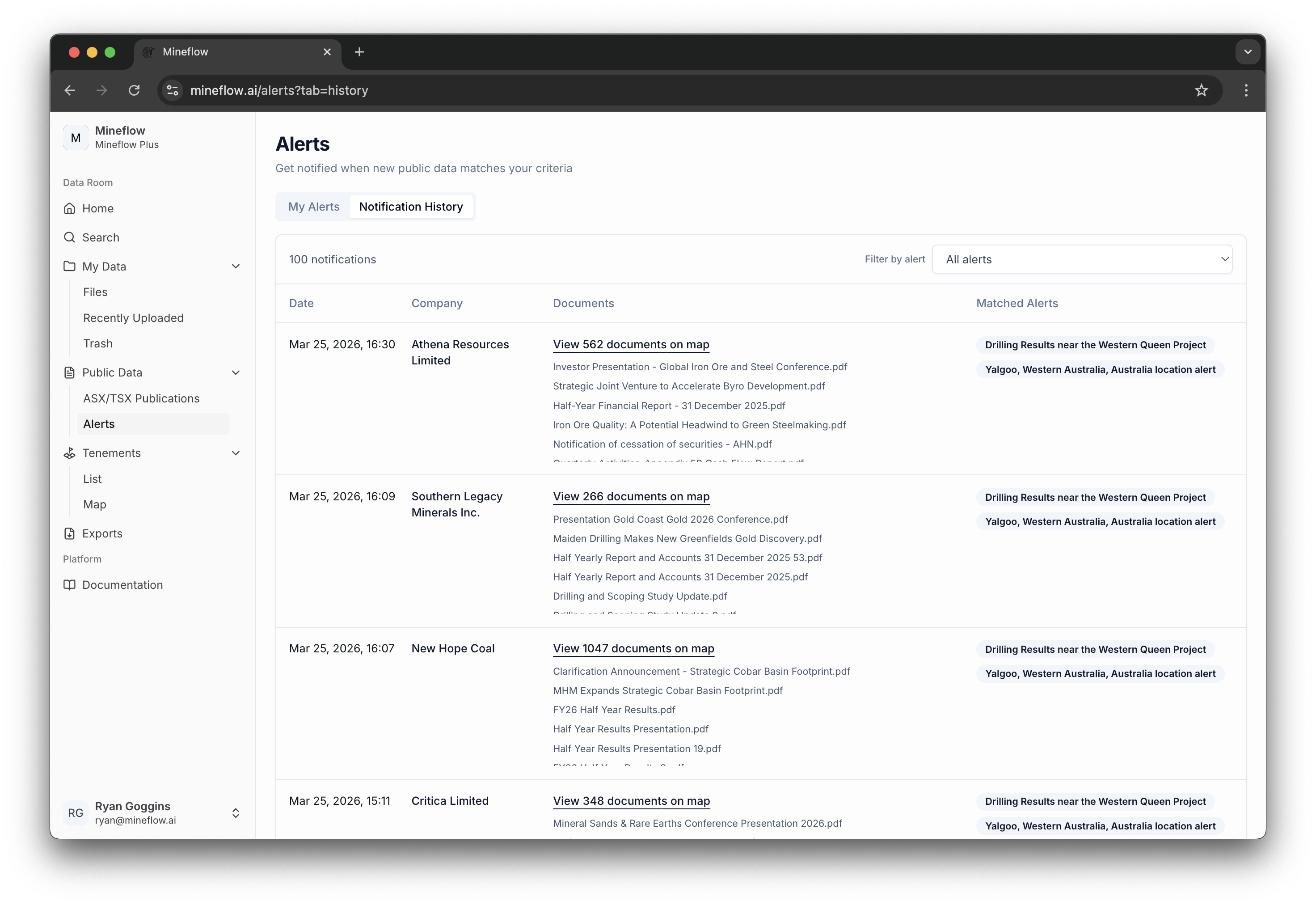
Badges and blue dots highlight items to review. The history remains useful after an item has been viewed; an unread marker is not a different kind of geological or tenure event.
Who receives notifications?
- Saved alerts: matching updates belong to the account that created the alert, subject to its data access.
- Watchlist changes: notifications go to people explicitly listed on the watchlist who have the required tenement access. Membership of the same company or team does not share every watchlist automatically.
- Paid MTO results: the billed owner receives a completed-check summary, including when no changes were found.
Watchlist change notifications are automatic for eligible listed people; there is no separate personal notification switch in watchlist Settings. Owners manage who has access there.
Understand the timing
Public-data alerts depend on new data being collected and processed. Tenement activity depends on what the source register publishes and when Mineflow checks it. These updates are not a promise of immediate notice when a change first happens.
Creating an area alert or adding titles establishes a starting point. Review existing records in the app; notifications then cover matching changes observed after monitoring begins.
Paid WA MTO schedules use Australian Western Standard Time (AWST, UTC+8). The scheduled check time, delivery time, and time a change appeared in the source are different things.