Map Search

Use semantic and spatial workflows to find drill holes and map-backed geological context, then refine the result directly on the map.

Overview

Map Search is the spatial continuation of Search. It keeps the active search state on the left, the map on the right, and the materialized drill or non-drill result set in the same workflow.

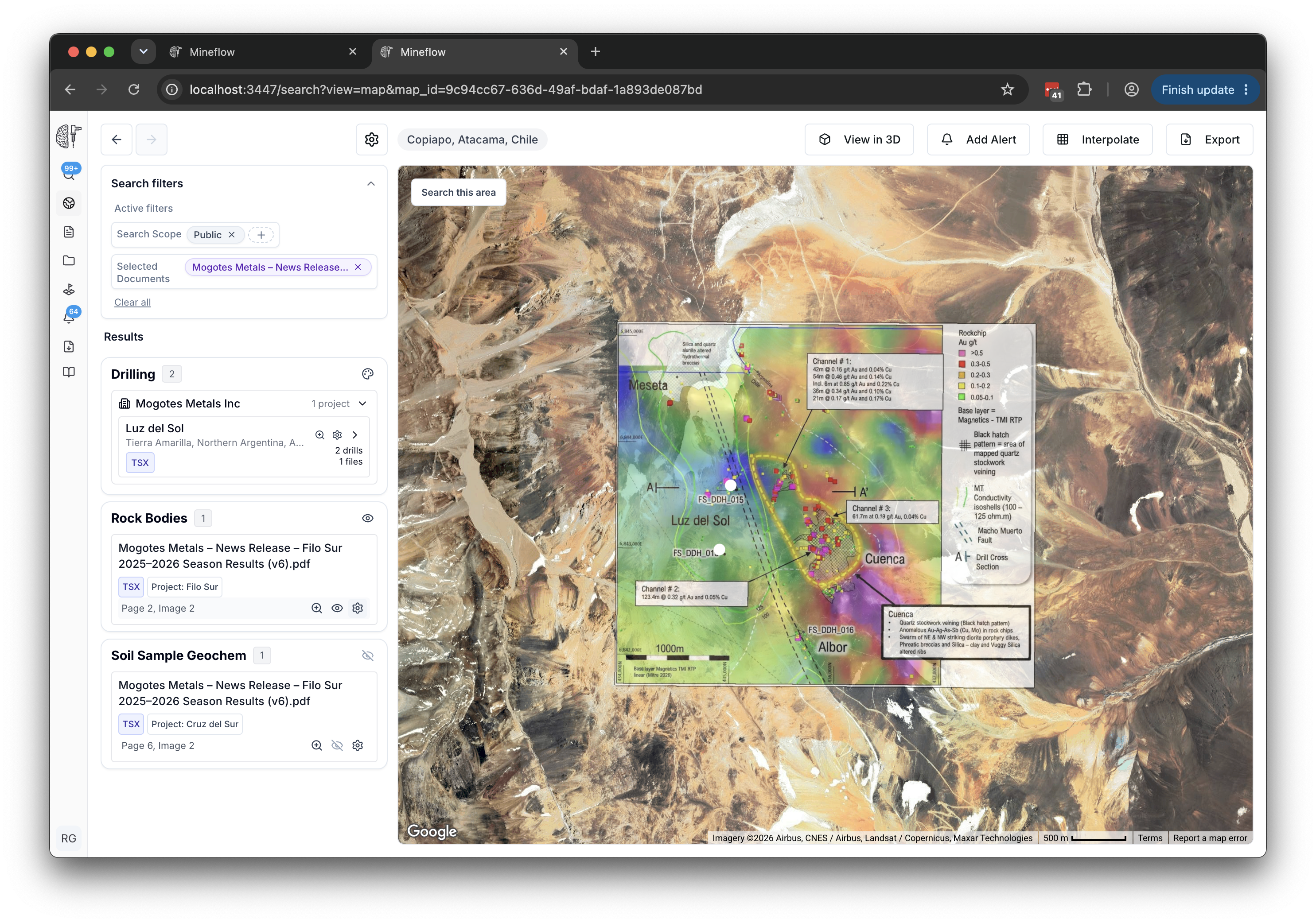
Map Search view showing the left results panel and a focused drilling result on the map.
Map Search keeps the results list visible on the left while you inspect the matching footprint on the map.

Simple Semantic Searches

A simple semantic search can be translated into ordinary filters and spatial scope without building a full query tree. The system can directly infer the target result type, the important constraints, and the area to search, then render the matching result list in the map panel.

After translation, the result behaves like any other map search: you can inspect the active filters, refine them further, or switch from the initial prompt into a tighter drill or non-drill workflow.

drilling in tanzania
Semantic map search for drilling in Tanzania with the results list visible and the search filters collapsed.
This direct place-based semantic query resolves into a drill result set plus a Tanzania search area, then leaves the drilling results visible in the left panel.

This is the cleanest simple case: the query turns into drill scope and a Tanzania search area without needing any intermediate semantic sub-query plan.

drilling in australia
Semantic map search for drilling in Australia, with the left results panel visible.
The system resolves the target data type and the Australia search area directly, then materializes the matching drilling results in the map panel.

This is still a simple semantic search because the prompt becomes one flat drill search with one geographic scope, just at a much larger area than the Tanzania example.

pegmatites in australia
Semantic map search for pegmatites in Australia with non-drill results visible in the left panel.
The prompt resolves into a non-drill geological layer search constrained to Australia, with the matching non-drill results shown on the left.

This is the non-drill version of a simple semantic query: the system identifies the geological target, applies the Australia area constraint, and renders the map-backed non-drill results.

Complex Semantic Searches

A complex semantic search needs multiple intermediate result sets plus relationships between them. These prompts are not just one filter. They are planned as smaller semantic sub-queries and then composed with logical and spatial operators before the map result is materialized.

In practice, Mineflow first turns those prompts into smaller semantic leaves such as drill holes, assay-constrained drill searches, pegmatites, or faults. It then applies operators like AND, OR, and NEAR to assemble the final answer.

drill holes near pegmatites in western australia
Complex semantic map search for drill holes near pegmatites in Western Australia with results visible in the left panel.
This prompt decomposes into a drill-hole search, a pegmatite search, and a NEAR relationship before Mineflow renders the matching drilling results.

The final result depends on two semantic leaves and one spatial operator. That is why this query has to be planned before it can be materialized on the map.

drilling with li2o > 0.1% near pegmatites in western australia
Complex semantic map search for Li2O-constrained drilling near pegmatites in Western Australia with the results panel visible.
This prompt combines an assay-aware drill search with a pegmatite search and a NEAR relationship before Mineflow renders the matching drilling results.

The assay threshold belongs to the drilling branch, while the pegmatite search supplies the nearby geological context. Mineflow has to preserve both branches separately before combining them.

drill holes with gold grade >2 g/t near pegmatites in australia
Complex semantic map search for gold-constrained drill holes near pegmatites in Australia, with the left results list visible.
This prompt combines an assay threshold, a pegmatite search, and a NEAR relationship, so it cannot be expressed as one flat filter set.

This example shows the same decomposition pattern with a different assay constraint. The drill branch and the pegmatite branch are still distinct intermediate result sets, and the final answer depends on the spatial relationship between them.

Semantic sub-queries

Each leaf node is a smaller semantic search, such as drill holes, pegmatites, faults, or an assay-constrained drill subset, materialized as its own result set.

Logical operators

AND and OR control how those sub-results are combined into the final answer.

Spatial operators

NEAR adds an explicit distance relationship, so the final result depends on how close one result set is to another.

Mineflow performs that decomposition before the map materializes, then lets you inspect and refine the resulting plan from the same map workflow. The important difference is not just the chrome around the result; it is that complex prompts require multiple intermediate result sets and explicit relationships before the final map exists.

Working the Map Results

Once the result set is on the map, the workflow becomes spatial inspection and refinement rather than query authoring.

Lower map-search filter stack showing Search by Area and the lower drill and non-drill controls.
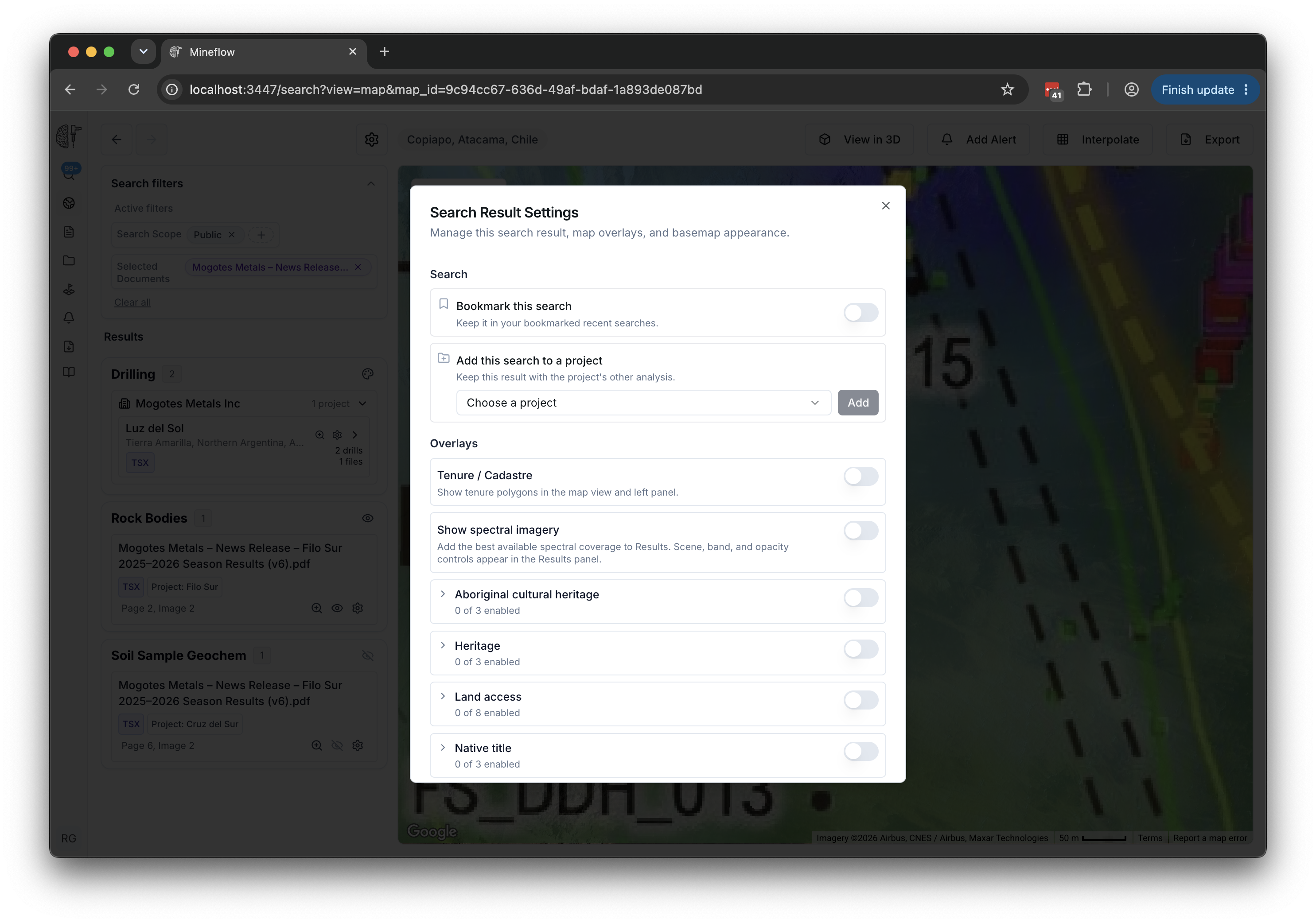
The lower part of the map-search stack is where you refine drill and non-drill filters further or switch to Search by Area.

Focus buttons

Use project focus controls to bring the relevant drill footprint into frame before deciding what to tighten next.

Search by Area

Constrain the search to the current extent or an explicit area of interest when the next step should be spatially bounded.

View in 3D and Alerts

Promote the current map result into a 3D scene or an alert without rebuilding the search from scratch.