Search

Search across Mineflow's collected public data and, when you want it, your own uploaded data in the same workflow.

Overview

The /search page is the coordination layer for Mineflow search. Its job is to help you search over all the public data we have collected, then optionally expand that search to your own data with Search Scope.

One search state drives two workflows. List search is for triaging documents, companies, and projects. Map Search is for spatial drill and non-drill workflows once the answer you want is fundamentally geographic.

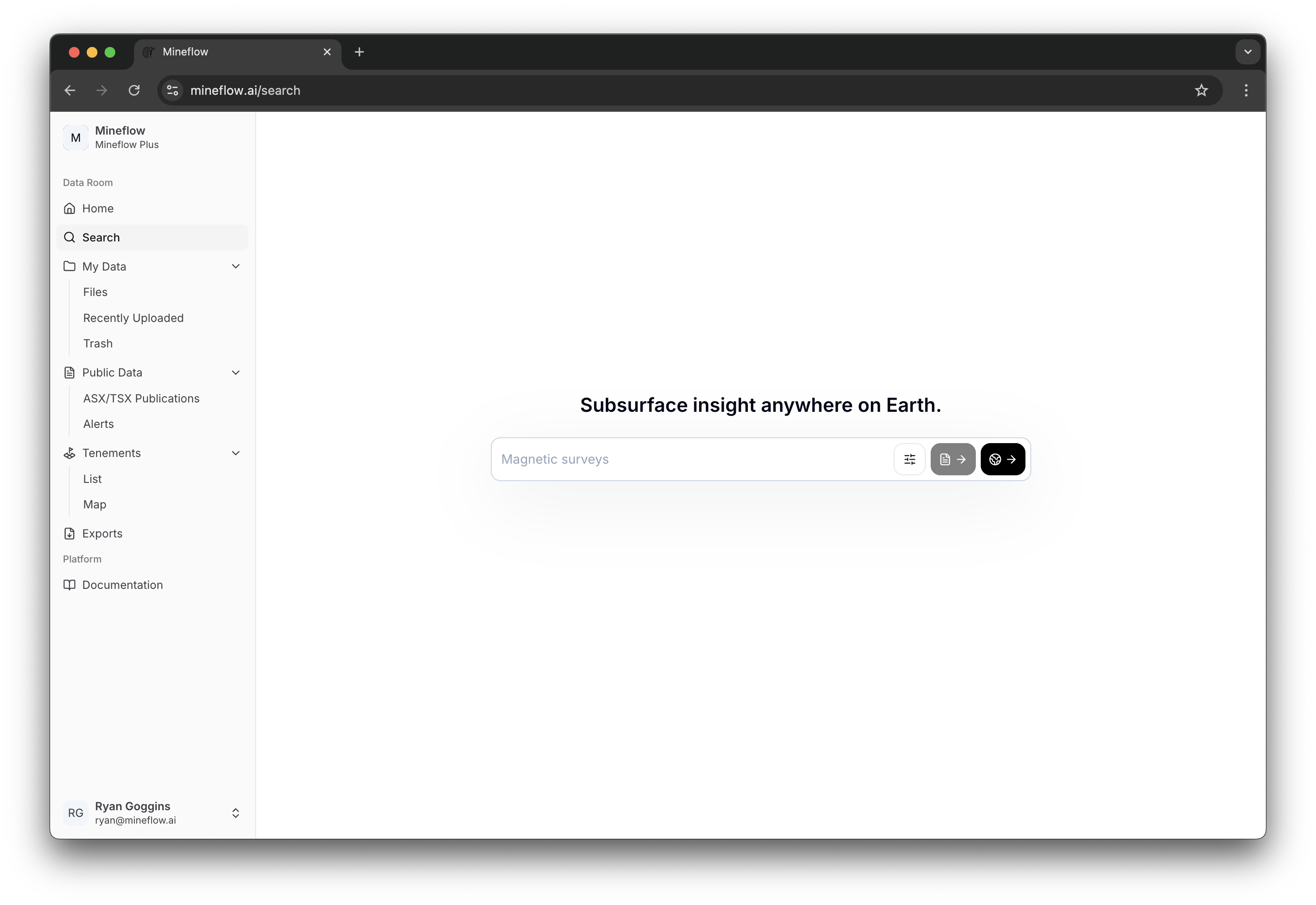
Search home page showing the initial query bar and actions before running a search.
Search starts with one query bar and two ways to continue: stay in list mode or open the same search directly on the map.

Filters

The filter drawer is where a loose keyword becomes a reproducible search. Each filter family answers a different question about the result set: scope, data type, provenance, document context, drill values, or non-drill values.

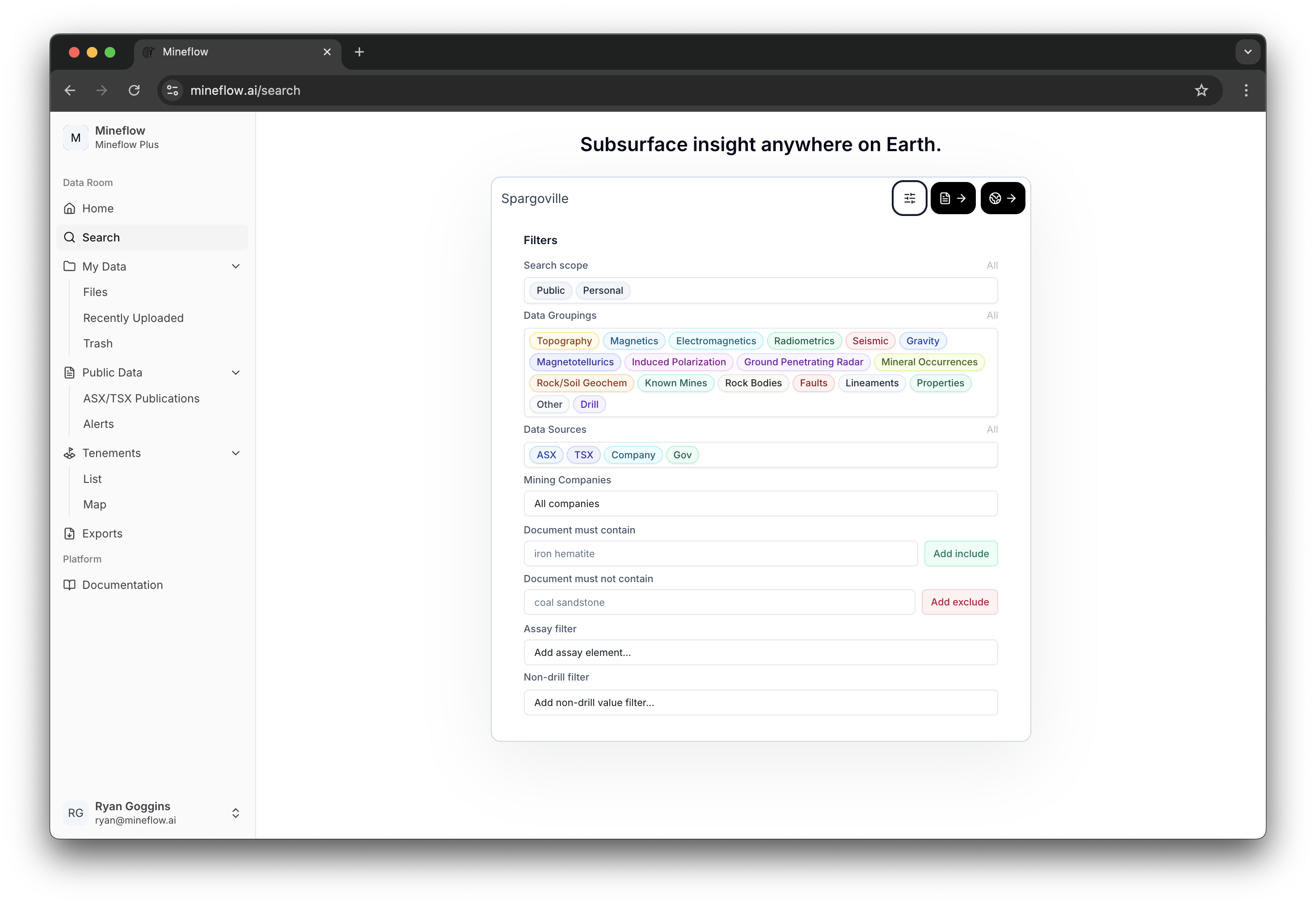
Search filters drawer showing search scope, data groupings, data sources, mining company, document text, assay, and non-drill controls.
Scope, data groupings, provenance, companies, document text constraints, assay thresholds, and non-drill value filters all live in one shared drawer before you decide whether to continue in list mode or on the map.

Search Scope

Choose whether the search should use Mineflow's public data, your personal data, or both.

Data Groupings

Restrict the search to specific extracted categories such as drill holes, mineral occurrences, faults, rock bodies, or geophysics. See Supported Data Types for the category catalog.

Data Sources

Narrow the public side of the search by provenance such as ASX, TSX / SEDAR+, company websites, or government datasets. The full source list is documented on Data Sources.

Mining Companies

Limit document-backed public search to selected issuers without changing the rest of the query.

Document must contain

Add positive text constraints when the result should come from documents containing specific phrases or terminology.

Document must not contain

Exclude unwanted document themes when a keyword alone is too broad.

Assay filter

Add drill interval criteria by element, then optionally tighten by measurement type, measurement method, and value range.

Non-drill filter

Add numeric thresholds on map-backed non-drill layers by choosing a category, variable, unit, and value range.

Once you continue into Map Search, the same filters stay active and you gain spatial controls such as Search by Area.

List Search

List search is the simple text-lookup view for documents, companies, and projects. Use it when the first question is "what matched?" and only later becomes "where is it on the map?"

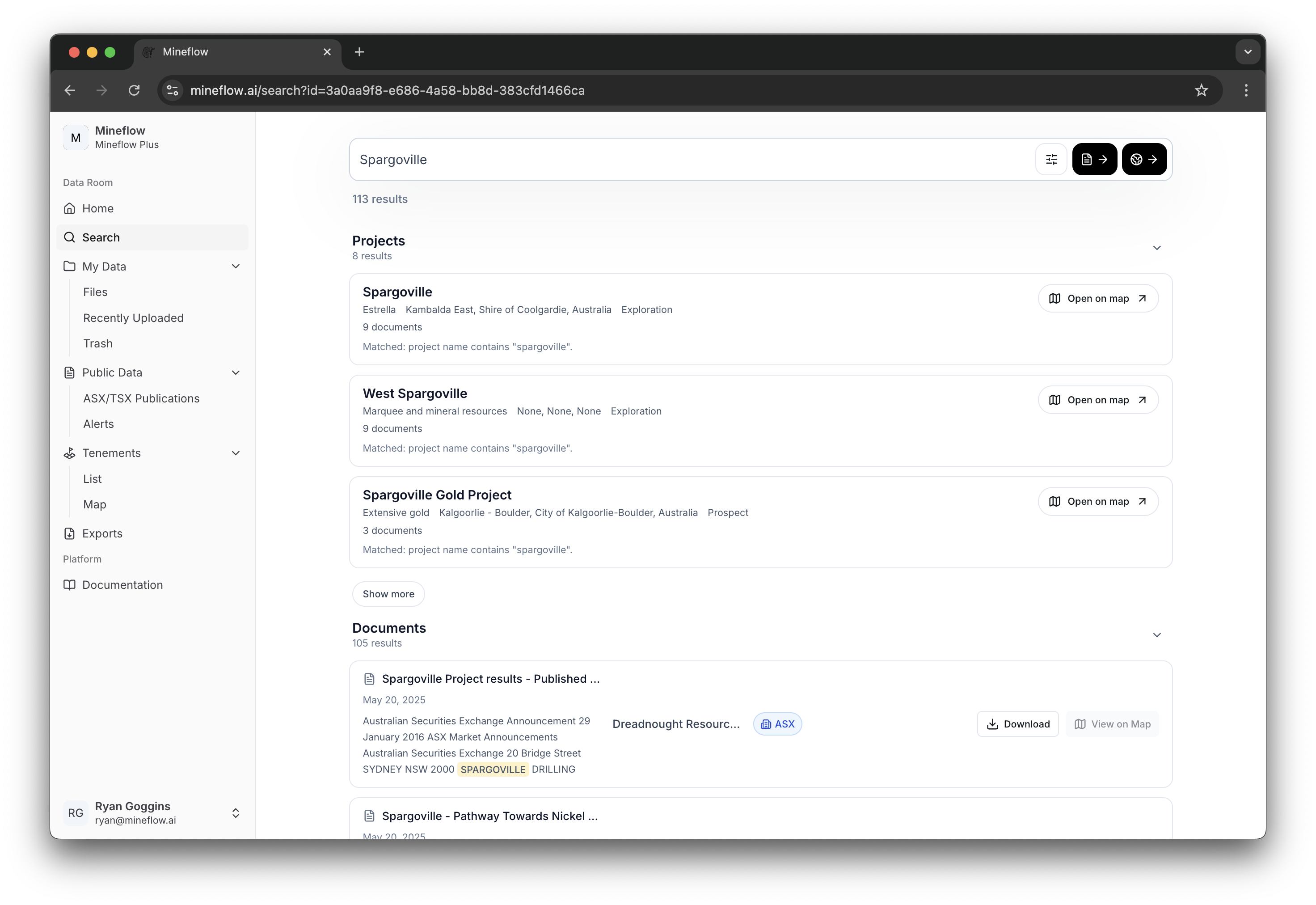
Search results grouped into project, company, and document sections.
List search keeps the results grouped by entity type so you can decide whether the lead is a project, a company, or a supporting document.

Projects

Best when you want a project-level lead and then decide whether to open that scope on the map.

Companies

Best when the query is really about an issuer rather than a single document or project row.

Documents

Best when you want file-level evidence first, including the ability to open or download the original public document.

Map Search

Map Search is where the search system becomes spatial. It keeps the same query and filters, materializes the matching drill holes and map-backed layers, and lets you refine the result directly on the map.

Map Search opened directly from Search Overview, with the results panel on the left and a focused project map on the right.
Opening Map Search from the same query carries that public search state straight into a spatial workflow, where the results panel and the map stay live together.

Simple semantic searches

A simple semantic query can be resolved directly into ordinary search state such as drill scope, assay thresholds, and a place or area. Queries like drill holes with gold grade > 5 g/t in Australia are good examples: they point at one target result type and one clear set of constraints.

Complex semantic searches

A complex semantic query needs more than one intermediate result set. Queries like drill holes near pegmatites or drill holes near pegmatites or faults are decomposed into smaller semantic sub-queries, then combined with logical and spatial operators such as AND, OR, and NEAR.